
Remember the last time you visited a website and it loaded quickly, remembered your login, or even kept items in your cart? Then suddenly—that little pop-up appears: “We use cookies. Accept?” Be honest… most of us just click accept fast-fast and move on.
But what are we really agreeing to? Is this something harmless—or are websites tracking more than we think?
Let’s break it down in a simple, clear way so you actually understand what’s happening behind the scenes.
What Cookies Can and Can’t Do
What Cookies CAN & CANNOT Do:
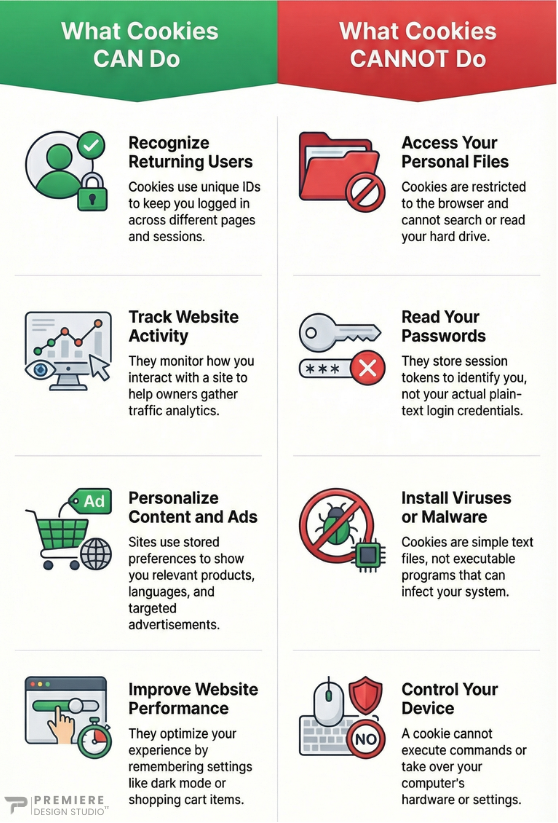
So if you ever wondered if cookies are seeing everything you do… not quite. They operate within limits and don’t have access to your private files or system.
Cookies vs Browser History
This is where many people get confused.
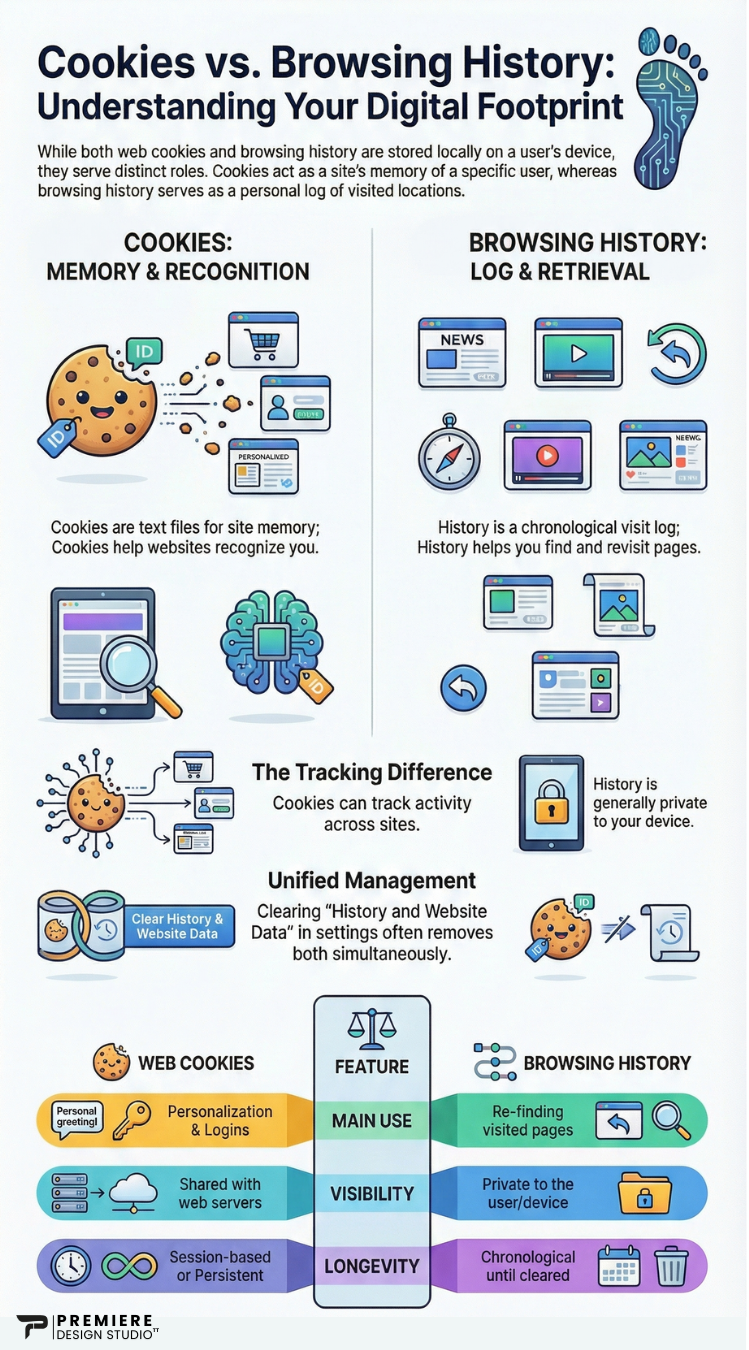
Browser history is a record of websites you’ve visited, stored locally in your browser. Cookies, on the other hand, are created by websites to store specific information about your interaction with them.
"In simple terms: History is for you. Cookies are for the website"
Should You Be Worried?
At some point you might’ve wondered—wait… is this thing seeing everything I do?
In most cases, no. Cookies are a normal part of how modern websites function.
Some cookies—especially third-party ones—can track behavior across multiple sites, which is why you may see ads related to things you recently searched.
But this doesn’t mean someone is actively watching you. It’s automated data used for analytics and advertising systems.
You don’t need to clear cookies every day, but doing so occasionally can help improve privacy or fix website issues.
First-Party vs Third-Party Cookies
Not all cookies behave the same way—and this is where things can feel a little… questionable.
First-Party Cookies
👉 These are created by the website you’re actually visiting. They help with things like logging you in, saving preferences, and keeping your experience smooth.Third-Party Cookies
👉 These come from external services like advertising platforms or social media integrations. They can track your activity across multiple websites.So if you search for something once and suddenly start seeing ads everywhere… yeah—that’s usually third-party cookies doing their thing.
A Quick Look Behind the Scenes
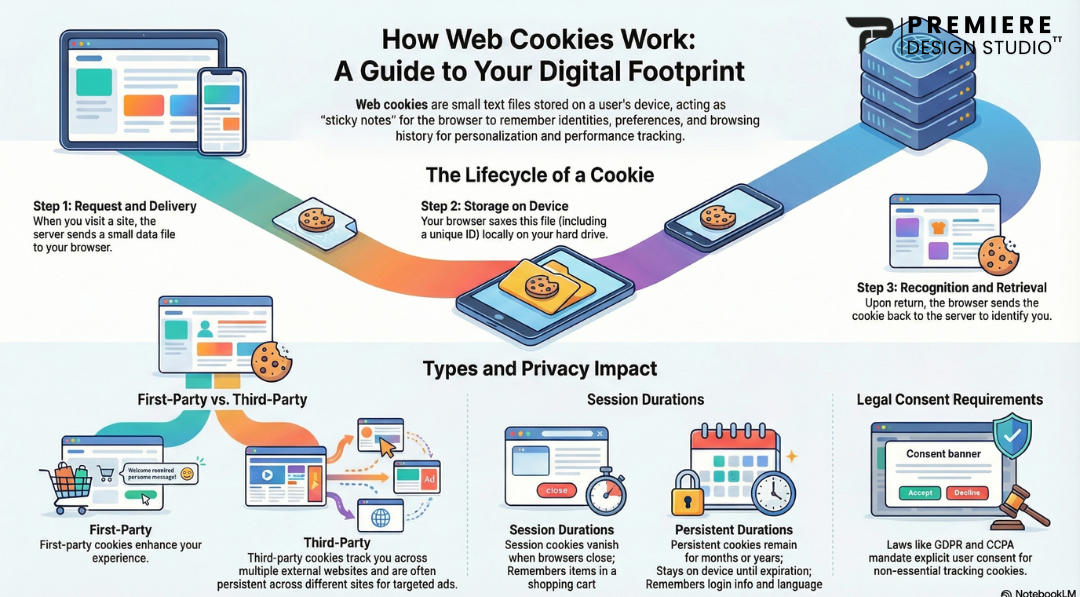
Behind the scenes, cookies work through a simple but powerful process.
When you visit a website, the server creates a small piece of data and stores it in your browser. This data might include a session ID, preferences, or a unique identifier that helps the site recognize you later.
When you return, your browser sends that cookie back to the website—allowing it to remember you without starting from scratch.
Some cookies only last for a session, while others stay longer to remember you over time. This is what makes modern websites feel seamless, fast, and personalized.
A Slightly More Technical View
Technically, cookies are stored as key-value pairs in your browser. When a request is sent to a server, your browser includes those cookies in the request header.
This allows the server to identify returning users, manage sessions, and even connect activity to analytics tools like Google Analytics.
For developers, cookies are often used alongside sessions, tokens, and authentication systems to maintain secure and seamless user experiences.
Quick Summary
- Cookies improve browsing experience
- They do not access personal files or passwords
- They help businesses understand users
- They are essential for modern websites
Need a Website That Works for You?
Build a modern, high-performing website designed for growth.
Contact Us